Windows
Windows 10 or later
Download for Windows ↓Need the ARM64 version? → Open Fluxer
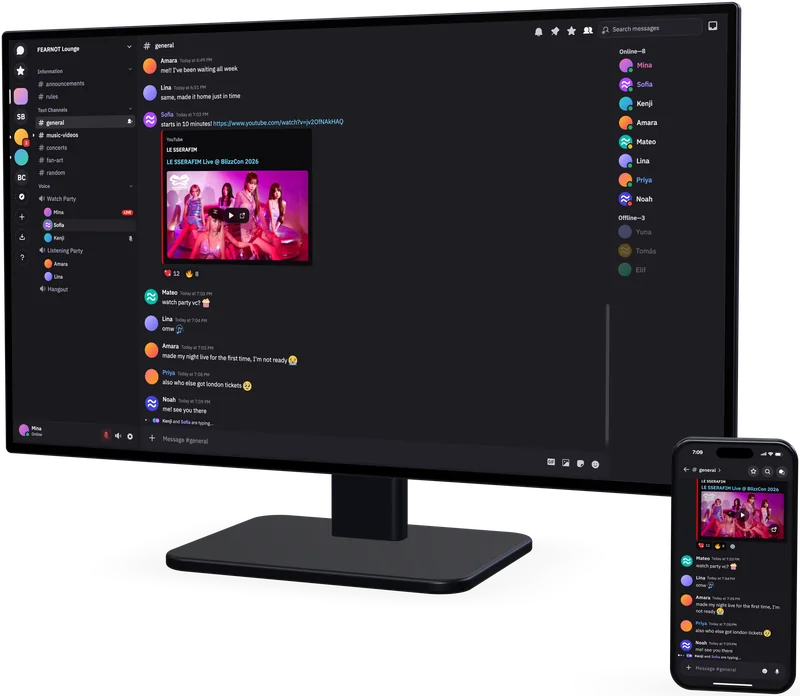
Chat with friends, groups and communities. Messages, voice and video calls, and screen sharing — on our independent instance of the open-source Fluxer platform.
Sign in or create an account on fluxer.ho.ge. Registration is open.
Use the same account in your browser and in the app. After installing the app, enter our address when choosing your instance.
Show instructions →On your computer, open fluxer.ho.ge in a web browser and sign in. On the home page, click “Show QR” in the sign-in section. Scan the code with your phone, then approve sign-in on your computer.
The camera starts only with your permission. You can also use your phone’s regular camera app.
This page stays open. Click the button whenever you want to open your chats.
Open FluxerTo sign in on your phone, click “Show QR” and scan the code with your phone.
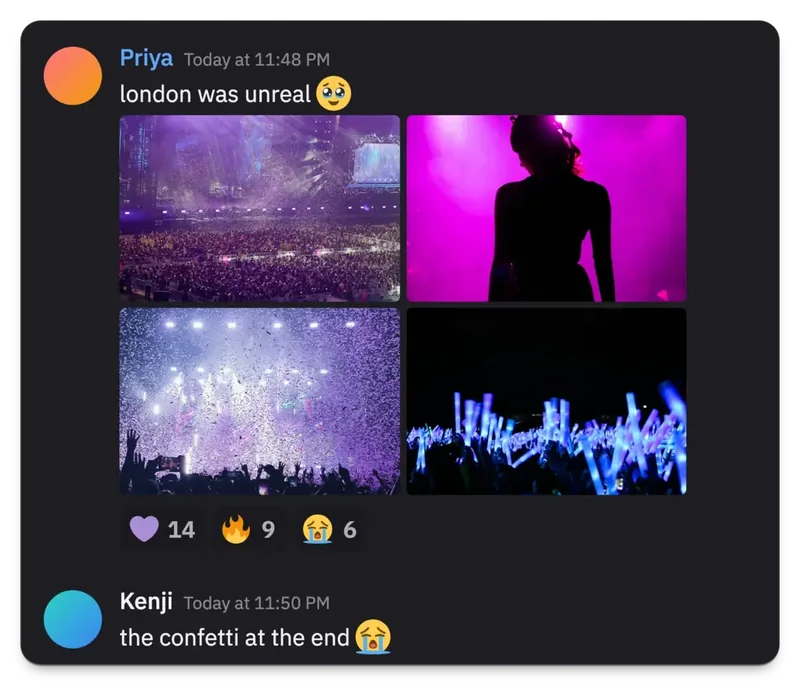
Send direct messages or create channels for different topics. Share photos, files, emoji and stickers.
Build your community, assign roles and choose who can read channels and join conversations.
Join a voice room, turn on your camera or share your screen. Play together, work on a task or just talk.
Choose how you want to connect, right in the app.
Start chatting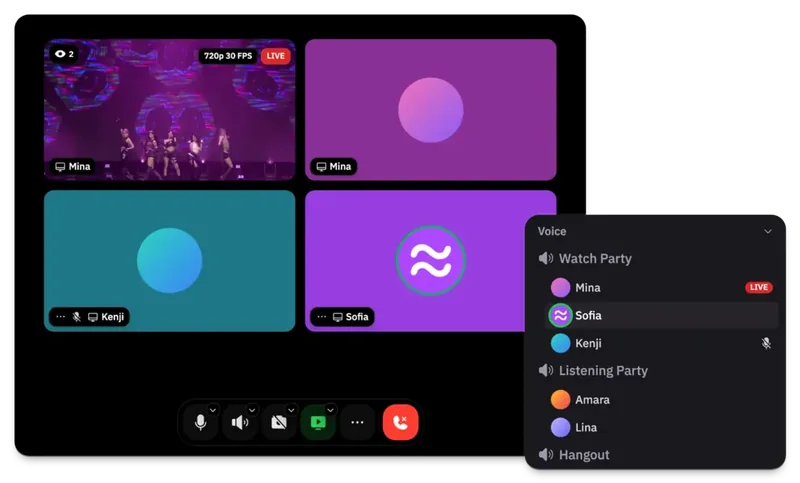
The official apps also connect to our instance.
Windows 10 or later
Download for Windows ↓Need the ARM64 version? →macOS 13 or later
Download for macOS ↓Apple Silicon · Intel version →Flatpak, DEB, RPM and AppImage
Install from FlathubOther Linux formats →Android 7 or later · beta
Get the beta on Google PlayOther Android downloads →iOS / iPadOS 16 or later
Coming to the App StoreSee the developer’s website for the current status.Downloads are served by the official Fluxer server. All platforms and versions →
After installation, choose our instance and sign in to your account.
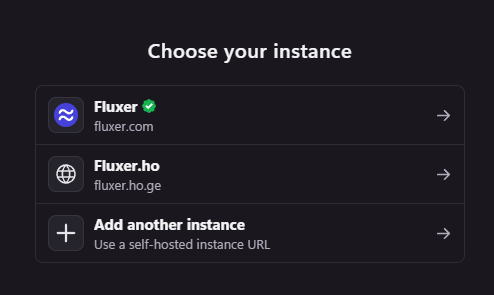
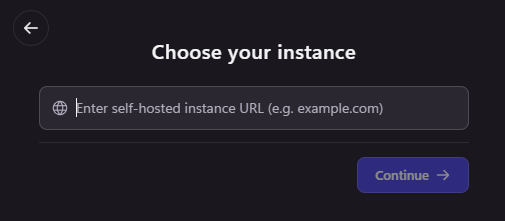
Open Fluxer. On the Choose your instance screen, select Add another instance.
Enter fluxer.ho.ge and click Continue.
Use the email address and password you use on this website. If you do not have an account yet, create one using the form above or in the app.
Already signed in to another instance? Open Switch accounts in your profile menu and add an account on fluxer.ho.ge. Accounts on different instances are created separately.
Open the chat in your browser or connect using the app.